
Why I built it
Argo workflows can be easier to follow as a graph, but their configuration lives in YAML. I built Tiphys to bring both views into one workspace: a visual editor for creating and connecting steps, with the manifest available alongside it.
Tiphys connects to an existing Argo installation. Argo runs the workflows; Tiphys provides the editor, reusable templates, and views for run status and logs.
This is a proof of concept, and I plan to keep developing it. Feedback, bug reports, and examples of workflows people want to build will help me decide what to work on next.
Build a workflow visually
Drag a Container, an HTTP Request, and a Suspend component from the Library onto the canvas. Select a step to configure it in the inspector, then connect the output and input dots to set the order.
In this example, prepare runs a container, check-api makes an HTTP request, and approve waits for manual approval. The inspector also includes inputs, outputs, retries, and conditions.
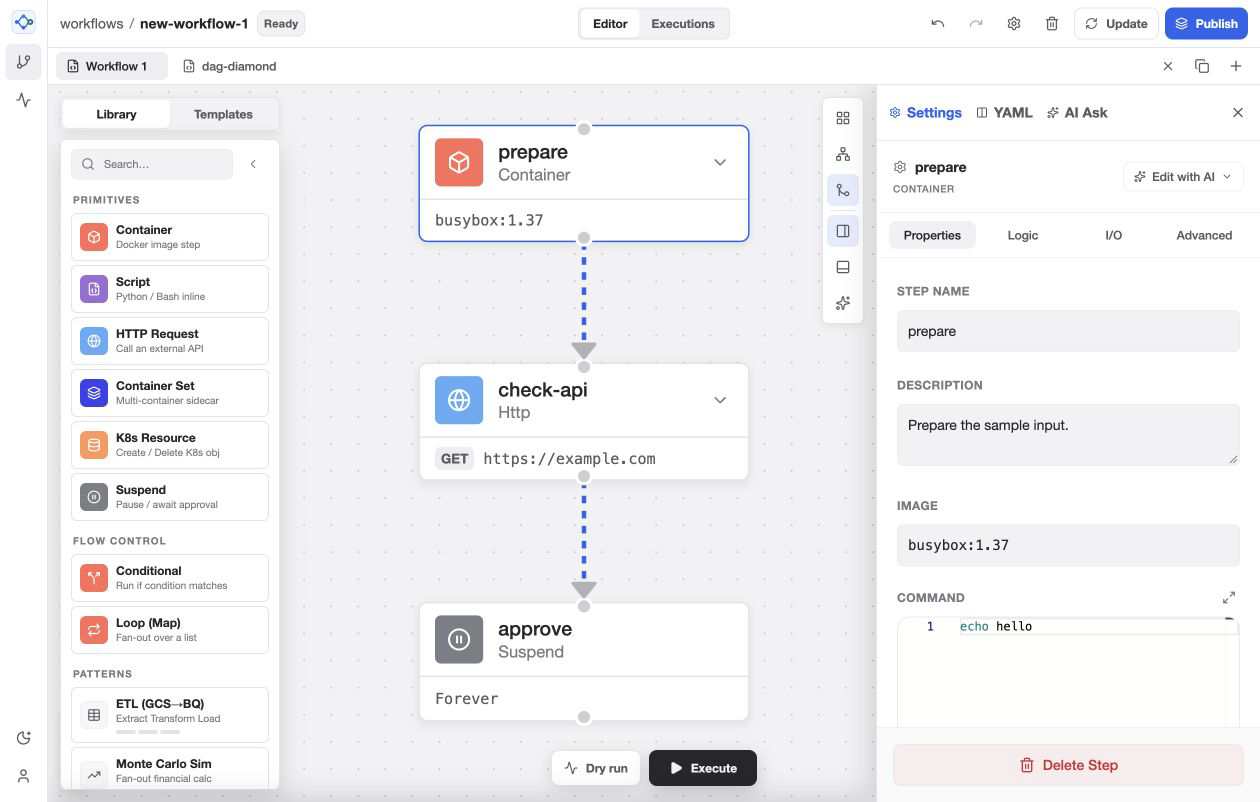
The library, graph, and settings stay visible together. You can inspect the generated YAML as you work.
Start with existing YAML
Copy an Argo manifest, click an empty part of the canvas, and paste it with Cmd+V or Ctrl+V. Choose Open in New Tab to keep your current draft open while importing the workflow.
The walkthrough uses Argo’s official dag-diamond.yaml example. Step A branches into B and C, and both lead to D. From there, you can change the node settings or edit the YAML directly.
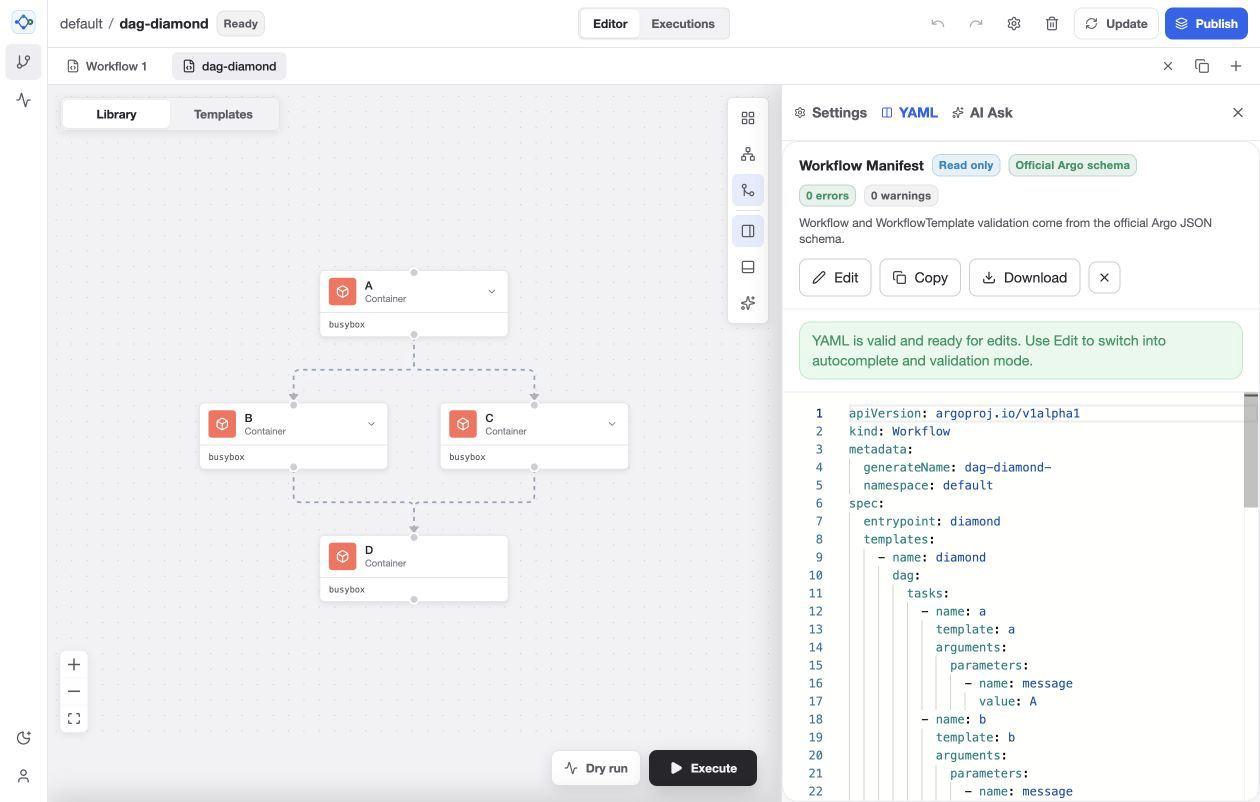
An existing manifest becomes a starting point for visual editing.
Visual editing supports a subset of Argo. Regenerating advanced YAML from the graph can drop unsupported fields or simplify constructs, so review the result before submitting it. Argo performs the final validation.
Optional AI assistance
AI Ask drafts a workflow from a prompt. Analyze with AI reviews dependencies and configuration, while Edit with AI proposes changes to a node. Administrators enable the server-side Gemini integration, and access follows editor permissions.
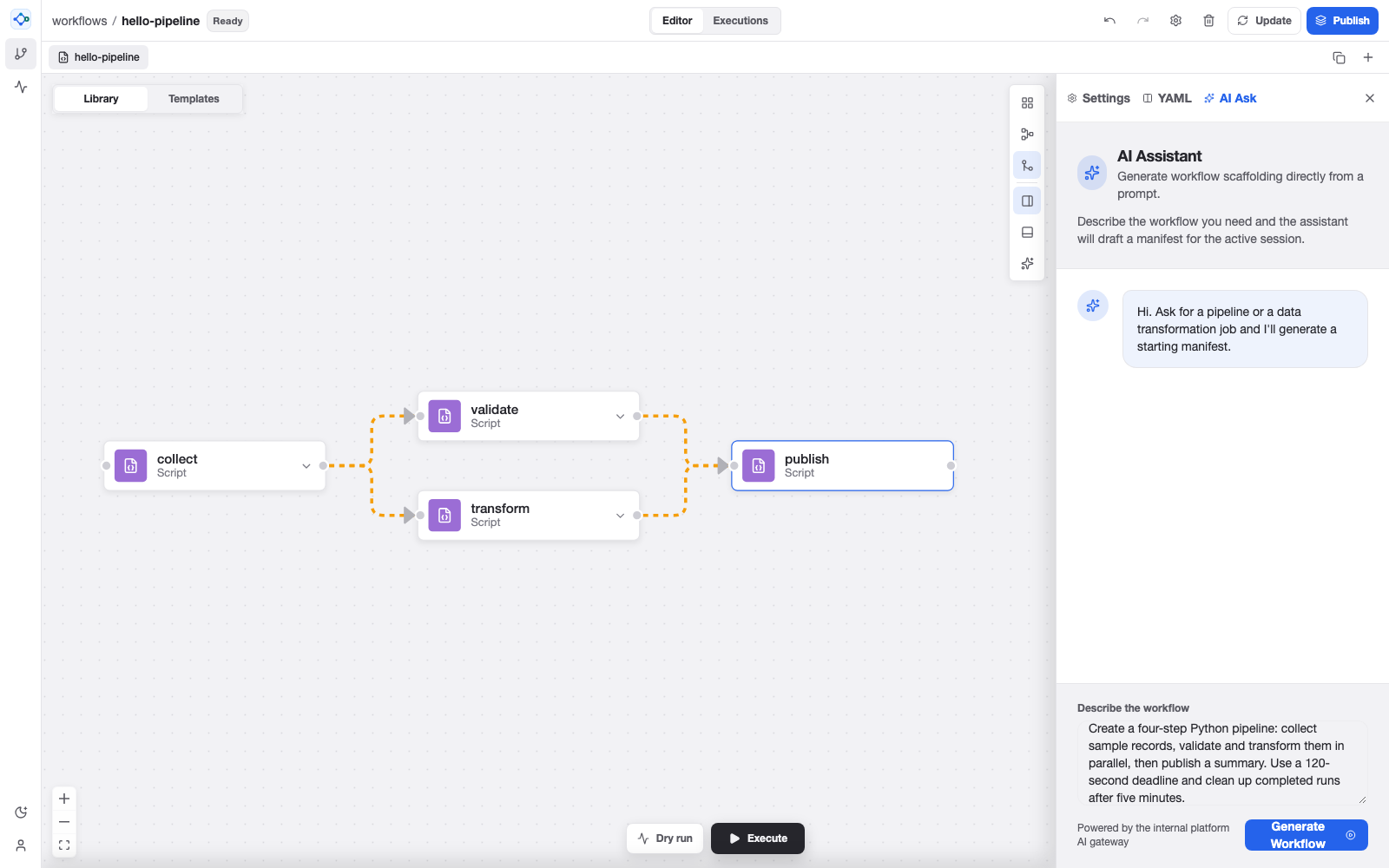
The AI example uses a sample Gemini response. Generated workflows and changes need review before execution.
Implementation
I built Tiphys with TypeScript, React, React Flow, Monaco, and Vite. A Node.js gateway connects the editor to Argo and the optional Gemini service. The workspace separates the editor, workflow parsing and generation, host integration, and shared UI components.
The Kubernetes deployment uses an OIDC login proxy, viewer and editor permissions, and server-side Argo credentials. Drafts are saved per user. The current design targets a trusted team in one namespace, with one gateway replica for draft storage.
Try it and follow the work
The GitHub repository includes setup instructions, deployment notes, tests, and the Apache 2.0 license. You can explore the editor locally without a cluster. Development mode includes simulated runs, so a successful local request does not confirm that a Kubernetes workload executed.
The Medium article covers the project in more detail. You can also watch the walkthrough on YouTube or share feedback on GitHub.