Context
Day traders do not browse — they scan. Seconds matter when a name gaps on high relative volume, news hits, or post-market prints move the thesis. Generic web dashboards force tab-hopping; brokerage UIs bury the reads that matter.
Stonkify is a desktop trading toolkit I built for that operator: a dark, high-density workstation that puts scanners, news, indices, and symbol detail in one Electron shell — with custom hotkeys and mouse hooks so analysis and execution stay in flow.
Overview
I owned the full stack: React UI on Electron, Node/Express services, MongoDB persistence, and live market data wired into scanners and symbol views. The product problem was clarity under speed — show the right lists, color the right signals, and open a single-stock workspace without leaving the desk layout.
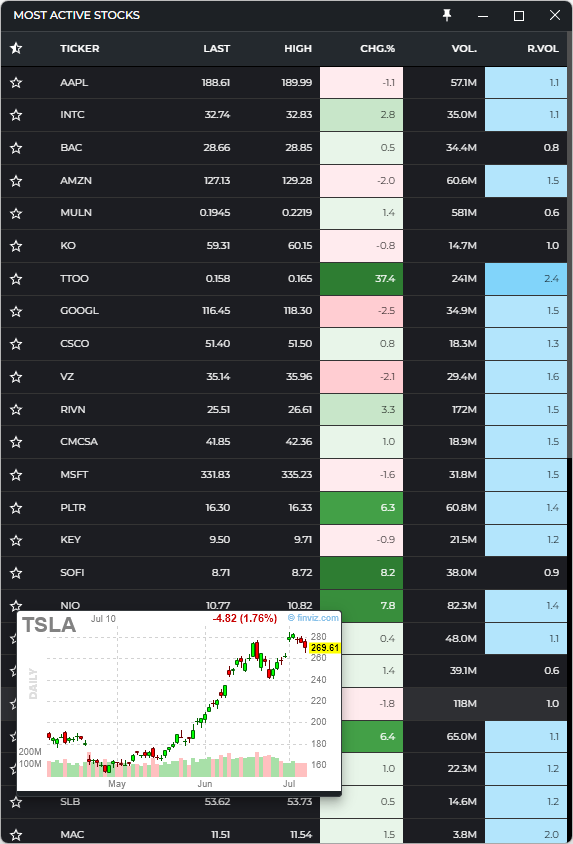
The design language matches how traders already think: green/red for direction, blue highlights for unusual relative volume, premium gates for advanced widgets, and always-on-top windows for the most-active grid.
What shipped
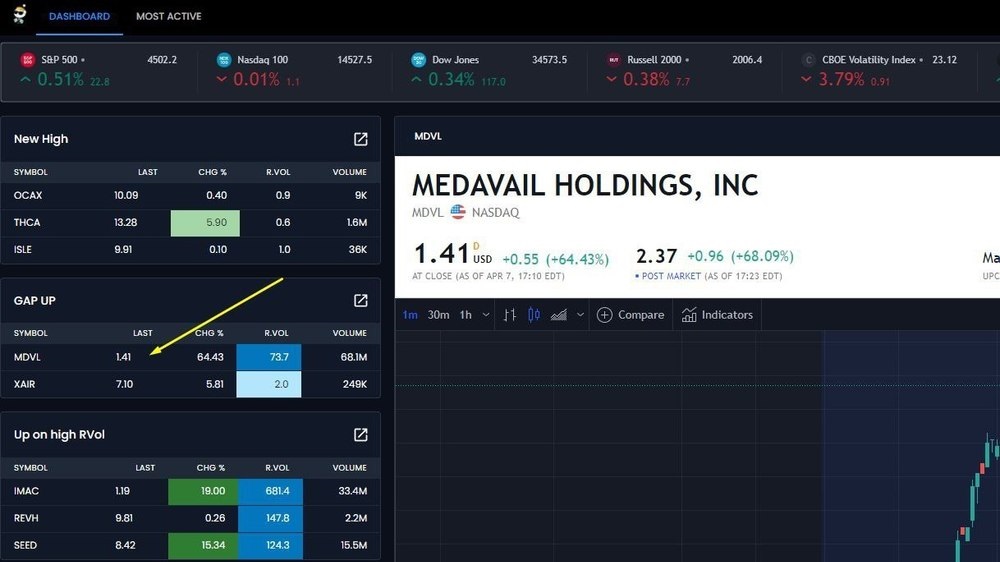
- Stock scanners: new highs / new lows, up & down on high relative volume, most active, gap-up — with live
LAST,% CHG, volume, andR.VOLcolumns - Conditional formatting: heat on percent change; blue callouts when relative volume spikes above baseline
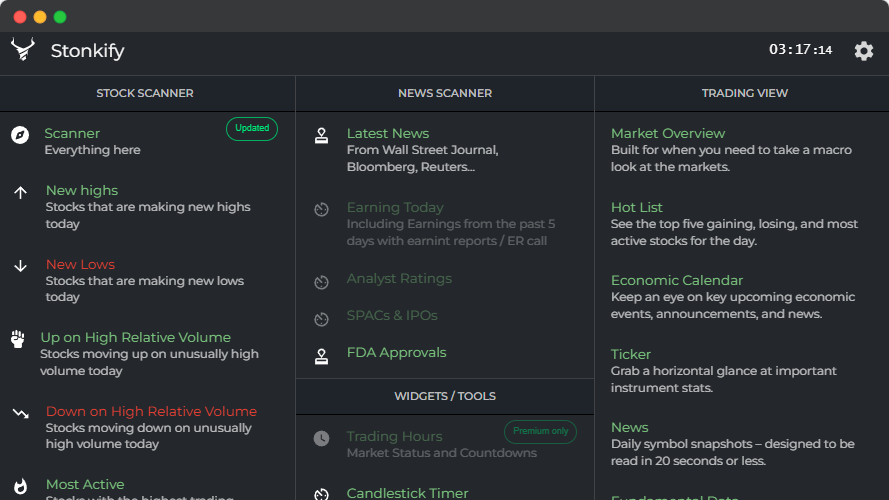
- News scanner: latest wires (WSJ, Bloomberg, Reuters, etc.) plus lanes for earnings, analyst ratings, SPACs/IPOs, and FDA approvals
- Market indices strip: S&P 500, Nasdaq 100, Dow, Russell 2000, and VIX with live price and percent change
- Single-stock workspace: company header, regular + post-market prints, intraday chart intervals, and Finviz-backed chart overlays for technical context
- Trading View widgets: market overview, hot list, economic calendar, ticker tape, short news snapshots, fundamental data
- Most Active grid: pinable dense table (favorites, high, volume, R.VOL) for continuous monitoring
- OS-level control: custom hotkeys and mouse hooks so the toolkit can drive rapid navigation and trade-adjacent actions alongside the broker
- Monetization surface: premium-only widgets (e.g. trading hours, candlestick timer) gated in the shell
Stack & craft
MERN + Electron — MongoDB, Express, React, Node for the application core; Electron for cross-platform desktop, native window behaviors (pin / always-on-top), and low-level keyboard/mouse hooks. Real-time market feeds power scanners and the indices bar; external chart providers enrich the symbol pane without rebuilding a full charting stack.
The hard craft was not “another dashboard.” It was keeping a feature-dense trading UI readable under pressure, and wiring desktop hooks securely so the toolkit could sit next to broker software without becoming a liability.
Outcome
Traders get a purpose-built workstation: scan → select → inspect → act, with less context switching. The same product muscles show up here as elsewhere in my work — operator UX, clear constraints, and a system built for people who use it all day.